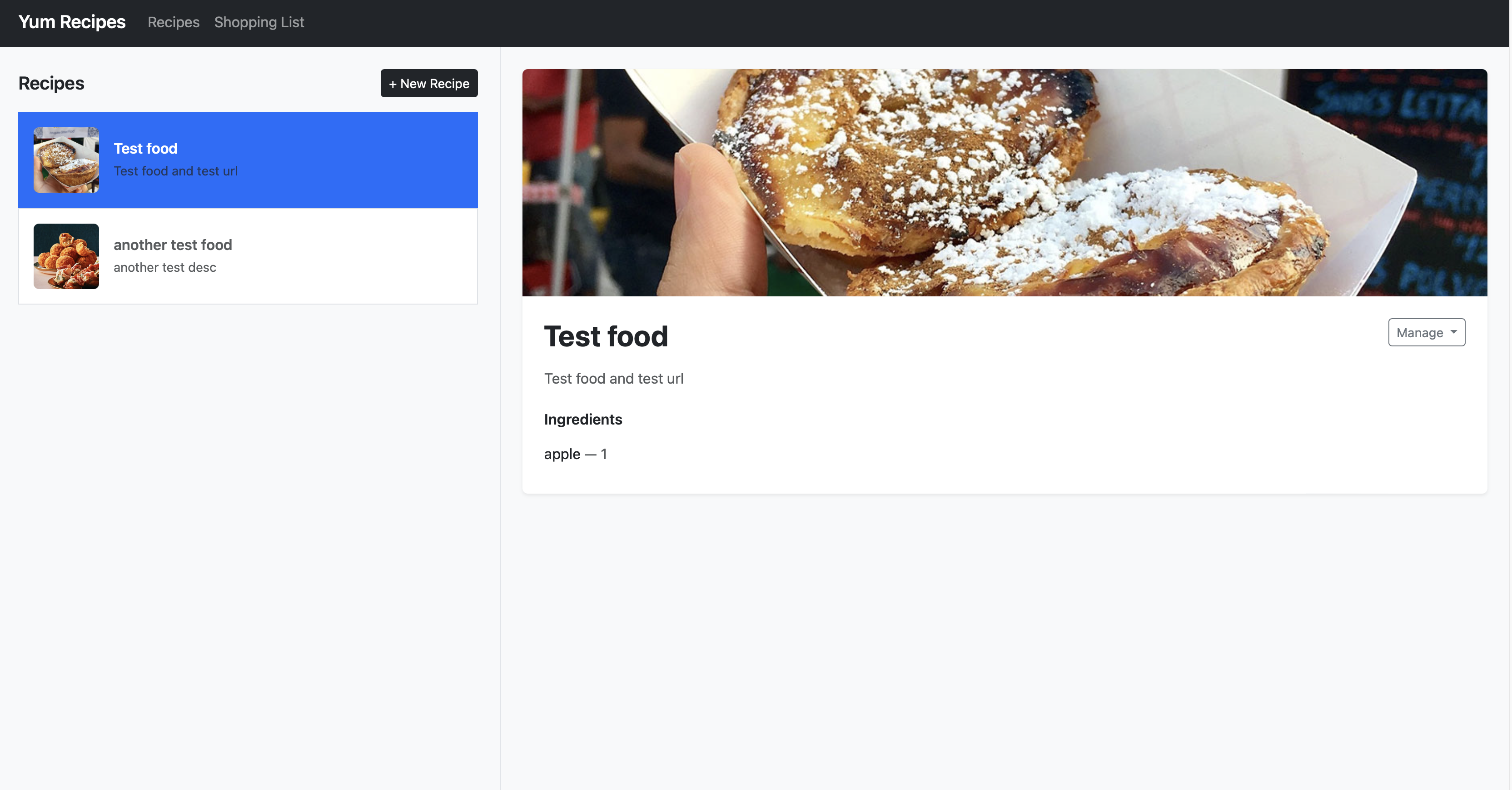
Overview
This is not a demo or toy app — it reflects my actual working approach. The domain is intentionally simple so the focus stays on the engineering practices rather than business logic. The point is to show how I think about building software that is ready for production: containerised, orchestrated, tested at multiple layers, and deployed with a real CI/CD pipeline.
Stack
| Layer | Technology |
|---|---|
| Frontend | Angular 11 — Node.js 16 |
| Backend | Node.js 24 / Express |
| Database | MongoDB |
| Reverse Proxy | Nginx |
| Containerisation | Docker + Docker Compose |
| Orchestration | Kubernetes (K3d / K3s) |
| CI | GitHub Actions |
| CD | Render (frontend + backend) |
CI/CD
- —
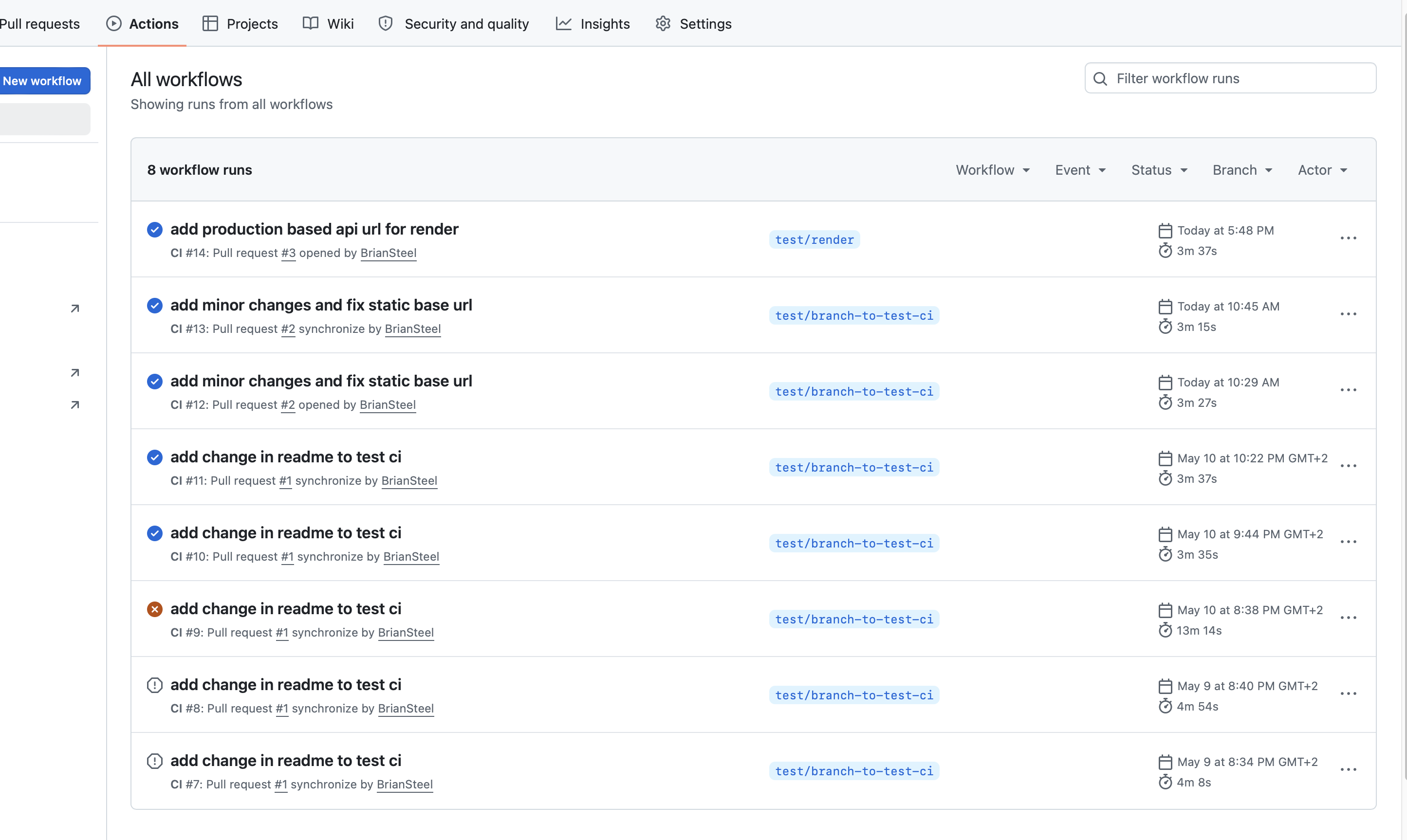
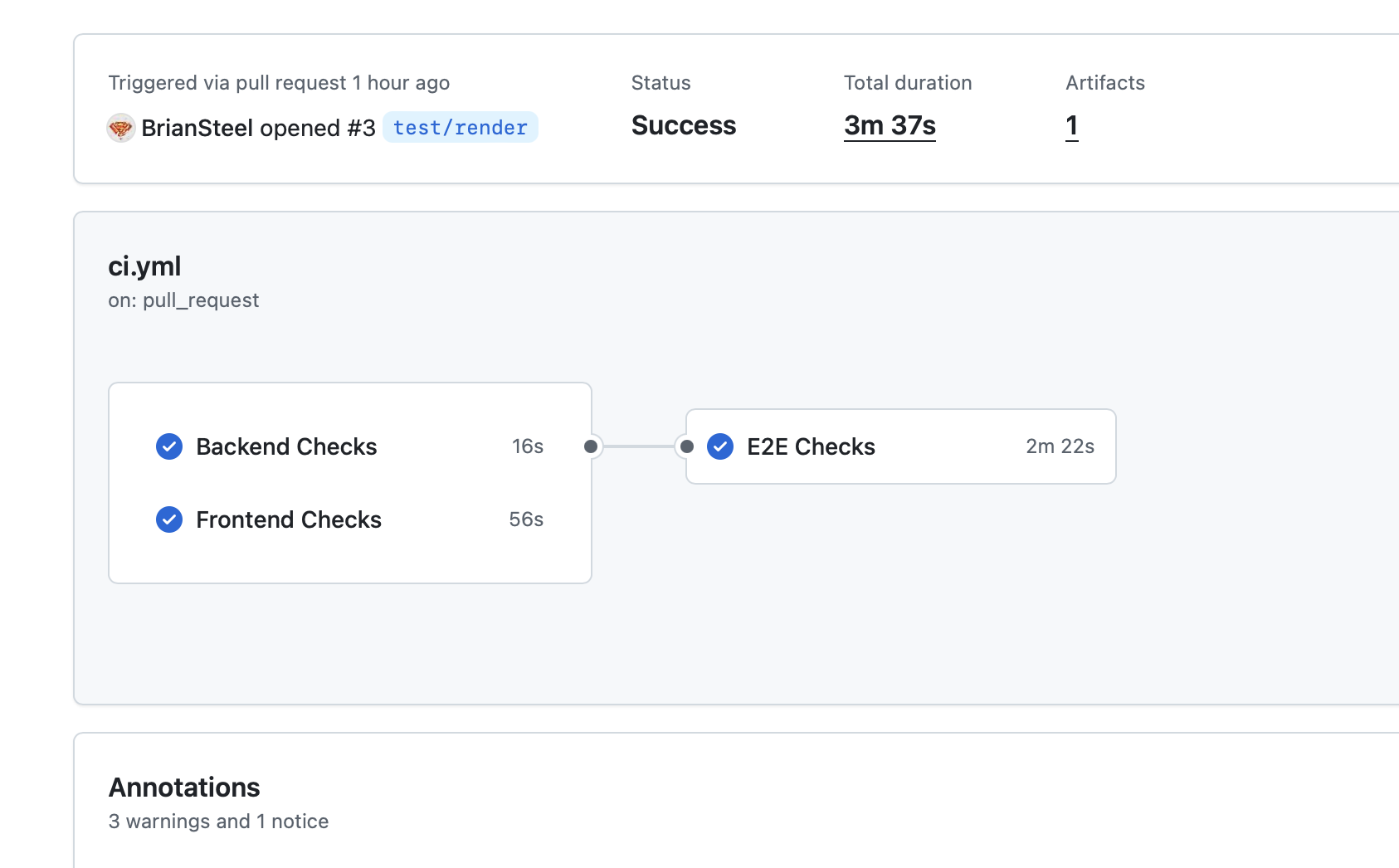
ci.ymlruns on every PR: Jest unit tests, frontend build, and Playwright e2e tests - —Render auto-deploys on push to
masterusing Build Filters — frontend only deploys whenfrontend/changes, backend only whenbackend/changes - —Playwright HTML report uploaded as a GitHub Actions artifact after each CI run
- —No secrets required — Render uses GitHub integration
Testing
Unit — Jest
Backend unit tests covering core business logic.
End-to-End — Playwright
Full browser automation tests. Runs in CI on every PR. Requires Node 24.
Performance — autocannon
HTTP load testing against the running app on localhost:80.
Kubernetes
Local Kubernetes runs on K3d (K3s in Docker). Kustomize overlays handle environment-specific configuration without duplicating manifests. Two ingress options are supported: Traefik and Nginx.
npm run k8s:traefik npm run k8s:nginx 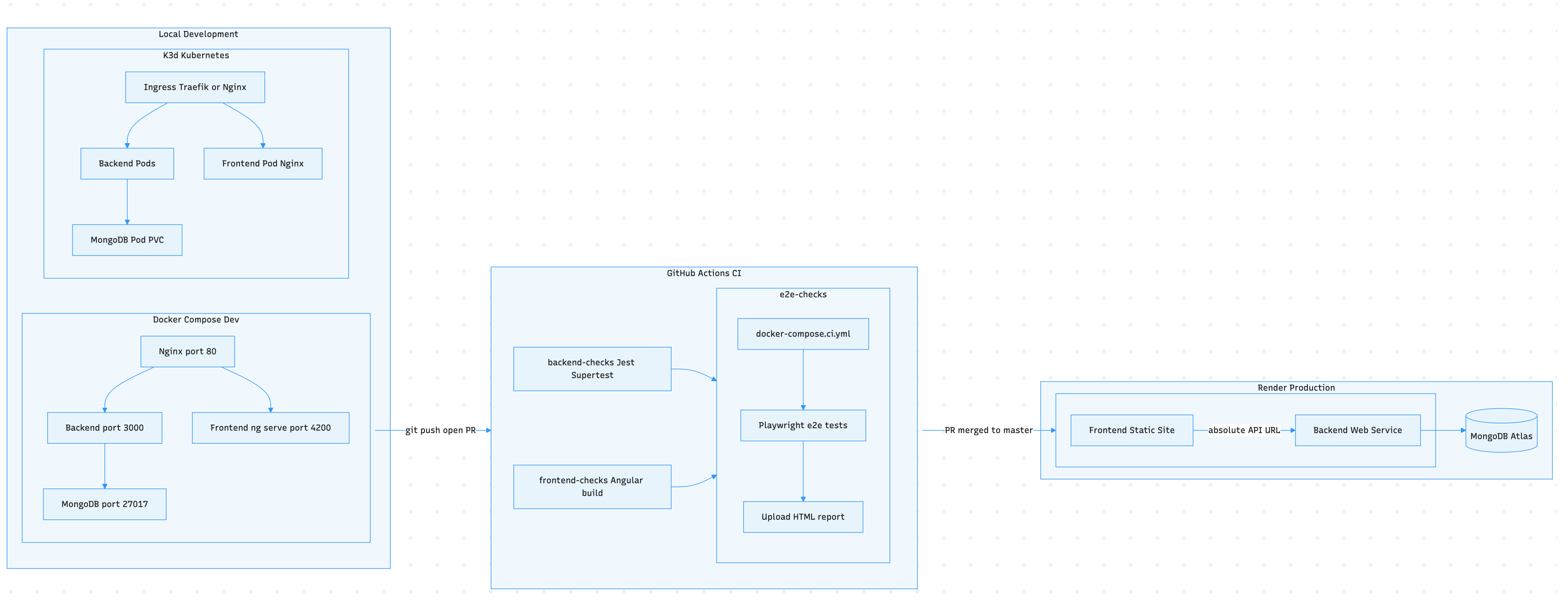
Docker Compose Environments
| File | Use |
|---|---|
docker-compose.dev.yml | Local development — source code is bind-mounted so changes reflect instantly without rebuilding the image |
docker-compose.prod.yml | Production simulation — fully baked images, only port 80 exposed via Nginx, no dev tooling |
docker-compose.ci.yml | Used in GitHub Actions — builds fresh images from source on every run to catch build failures early |
Intentionally Out of Scope
Monitoring/observability, log aggregation, authentication/RBAC, rate limiting, and HTTPS/TLS certificates are out of scope — not because they don't matter, but because this project exists to demonstrate infrastructure and delivery practices, not to be a complete production system.